Your playlists no longer stop after six months
Spotify's six-month limit, handled
Spotify ends every app's access six months after you grant it. We can't extend that. Until now it happened without warning and your playlists just stopped updating.
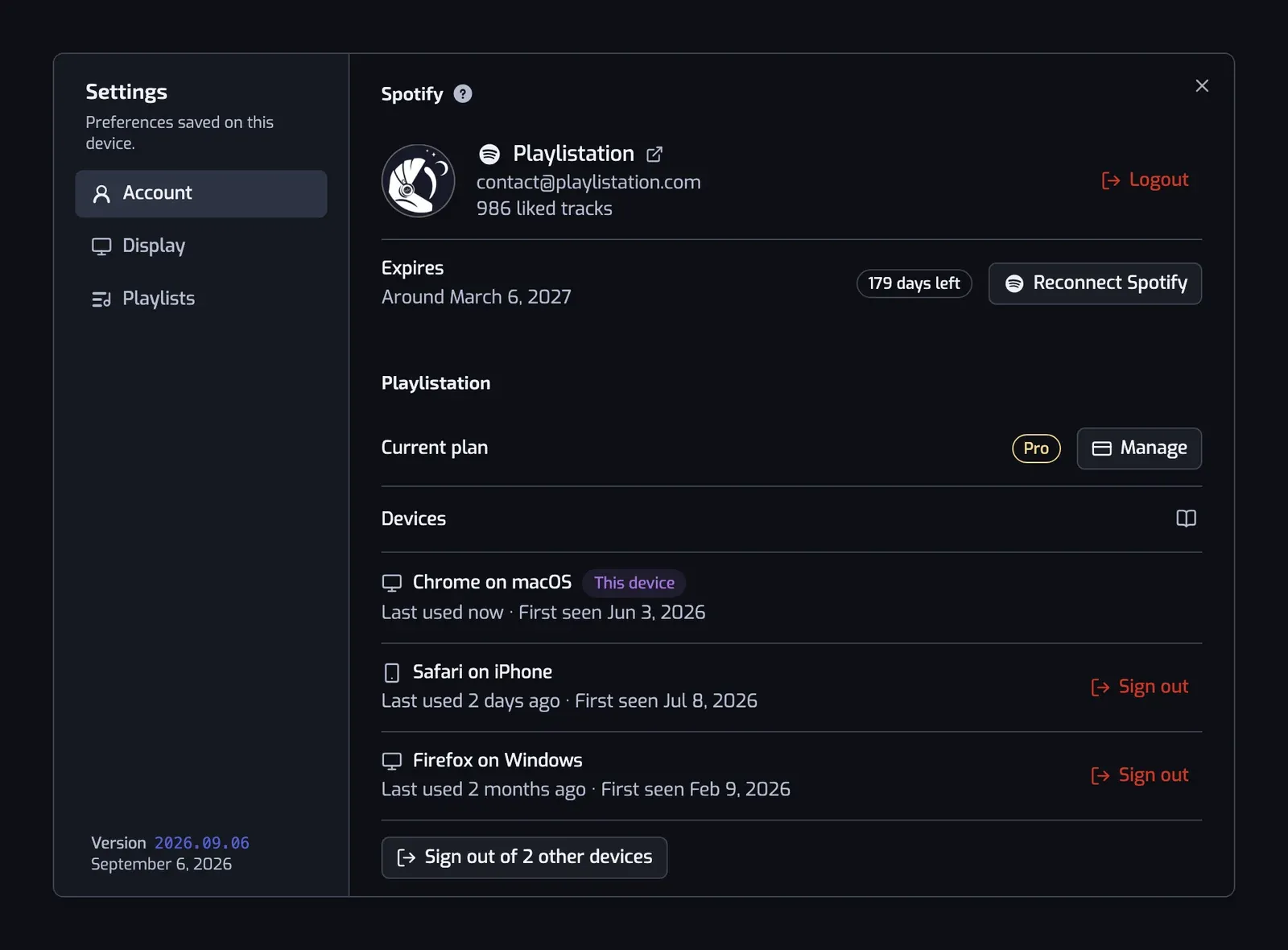
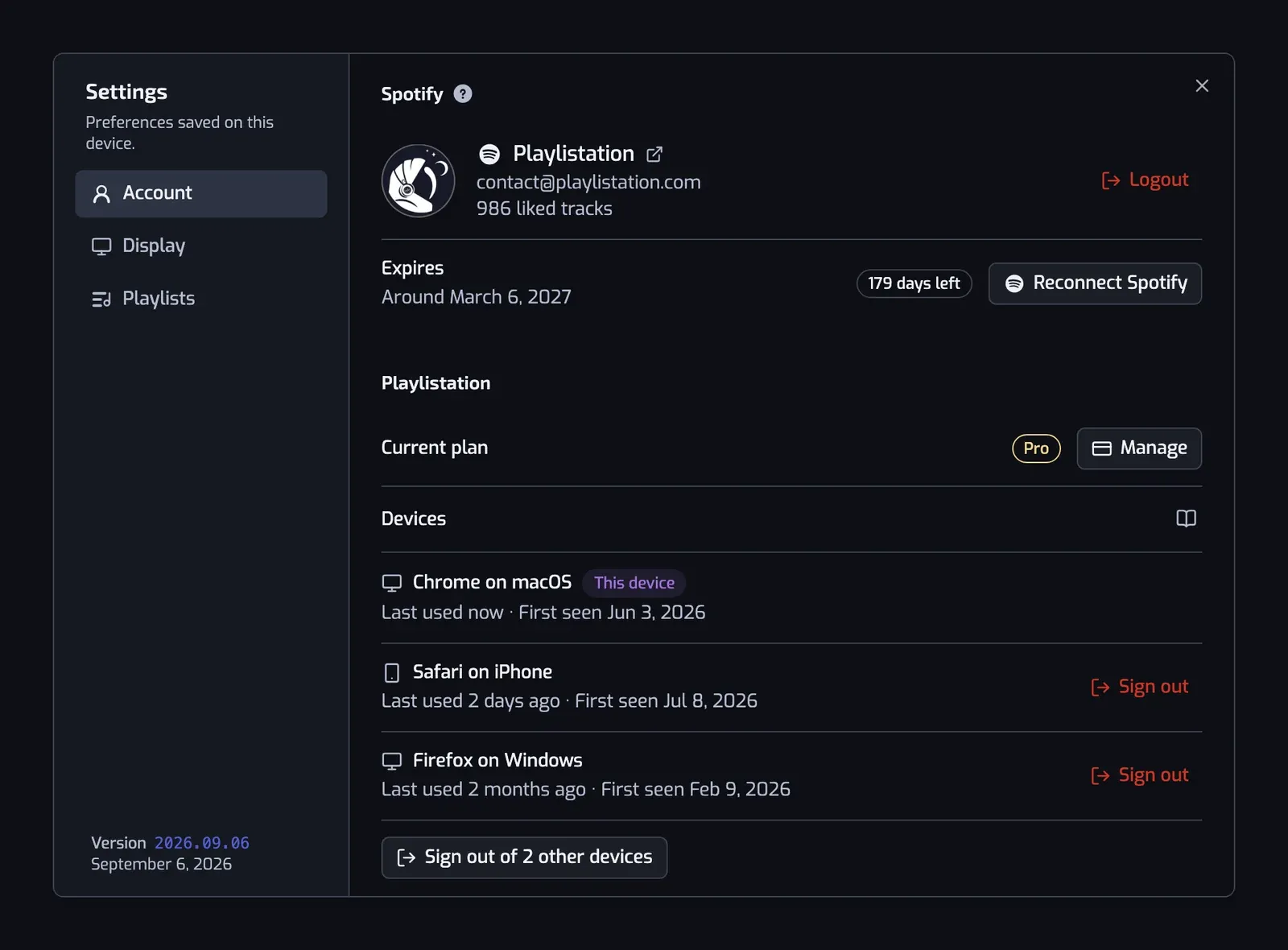
The app now counts it down for you. A banner shows up for the last 90 days with the date yours runs out. Settings shows the same date under Expires, next to a Reconnect Spotify button. Two emails go out, one about a month ahead and one about a week ahead. If it has already run out, a dialog takes over the app and tells you your playlists are paused until you reconnect.

You stay signed in the whole time. Your account and your filters are untouched.
Reconnecting takes one click. It sends you to Spotify and brings you straight back. If you're already signed in there you won't even see a screen. Every playlist that was paused starts syncing again, and the app tells you how many.
📖 Documentation: Staying connected to Spotify
Every device signed in to your account
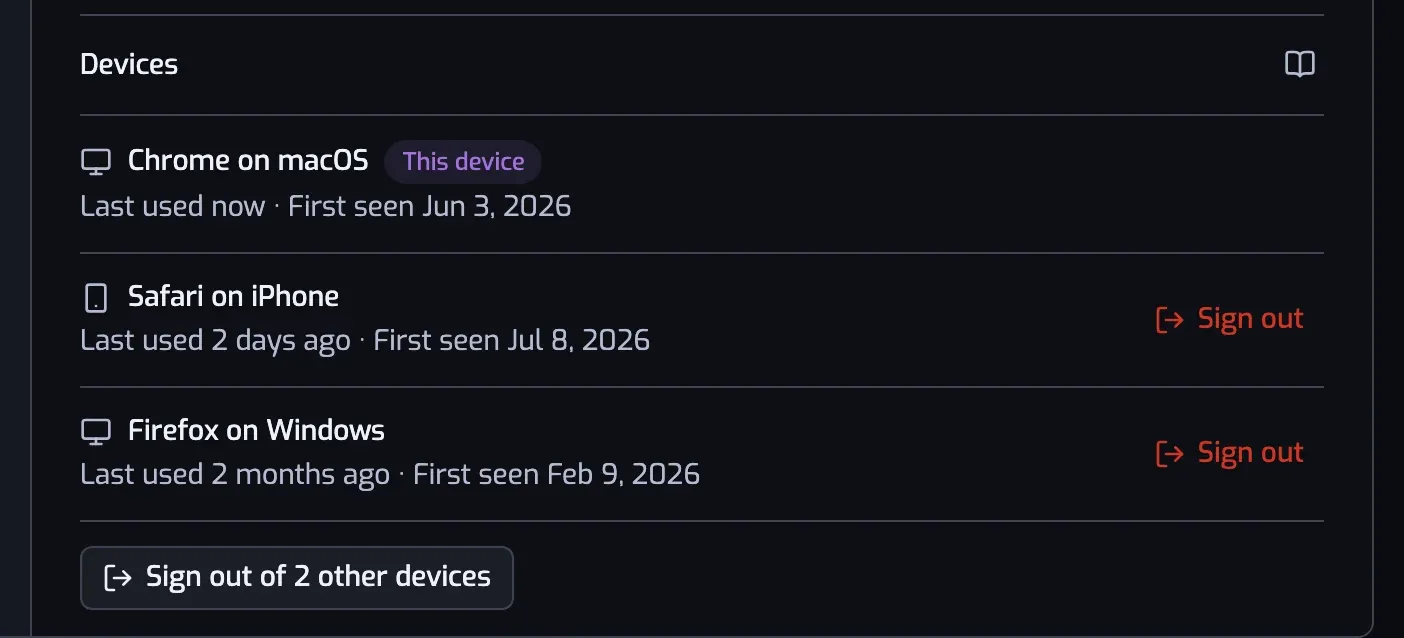
Devices, in Settings under Account, lists everywhere your account is open. Each row tells you what the device is ("Chrome on macOS"), when it was last used and the day it signed in. The one you're reading on is badged.
Sign out ends any one of them right away. The button under the list signs out every device except this one. Sessions also end on their own after 90 days without use, and 75 days after they were created, so a session never outlives the Spotify access behind it.
📖 Documentation: Devices
Account settings, reorganised
The Account pane is now two sections that say what they hold. Spotify has the connected account, its expiry date and the reconnect button. Playlistation has your plan, your devices and account deletion.
📖 Documentation: Settings